
Eli Lilly
Managing diabetes is a lot of work – so we explored new ways to track and log meals to help people take control of their health.
In this usability testing engagement for Eli Lilly, we explored solutions to meal tracking and diabetes management. We explored new ways to make meal logging faster, easier, and more intuitive — especially for older or less tech-savvy users.
My role
As the product designer on this engagement, I led concept development, user flows, prototypes, and usability testing. I partnered closely with Eli Lilly’s medical experts to ensure our designs supported accurate diabetes management while staying approachable for everyday use.
Impact
Our concept designs and user insights enabled Eli Lilly to secure internal buy-in and move forward with investing in the product’s development. Read more about it here.
Goal
Determine the best way for people with diabetes to enter and log meals so that Lilly can better predict bolus amounts and provide valuable insights and recommendations.

Concepts
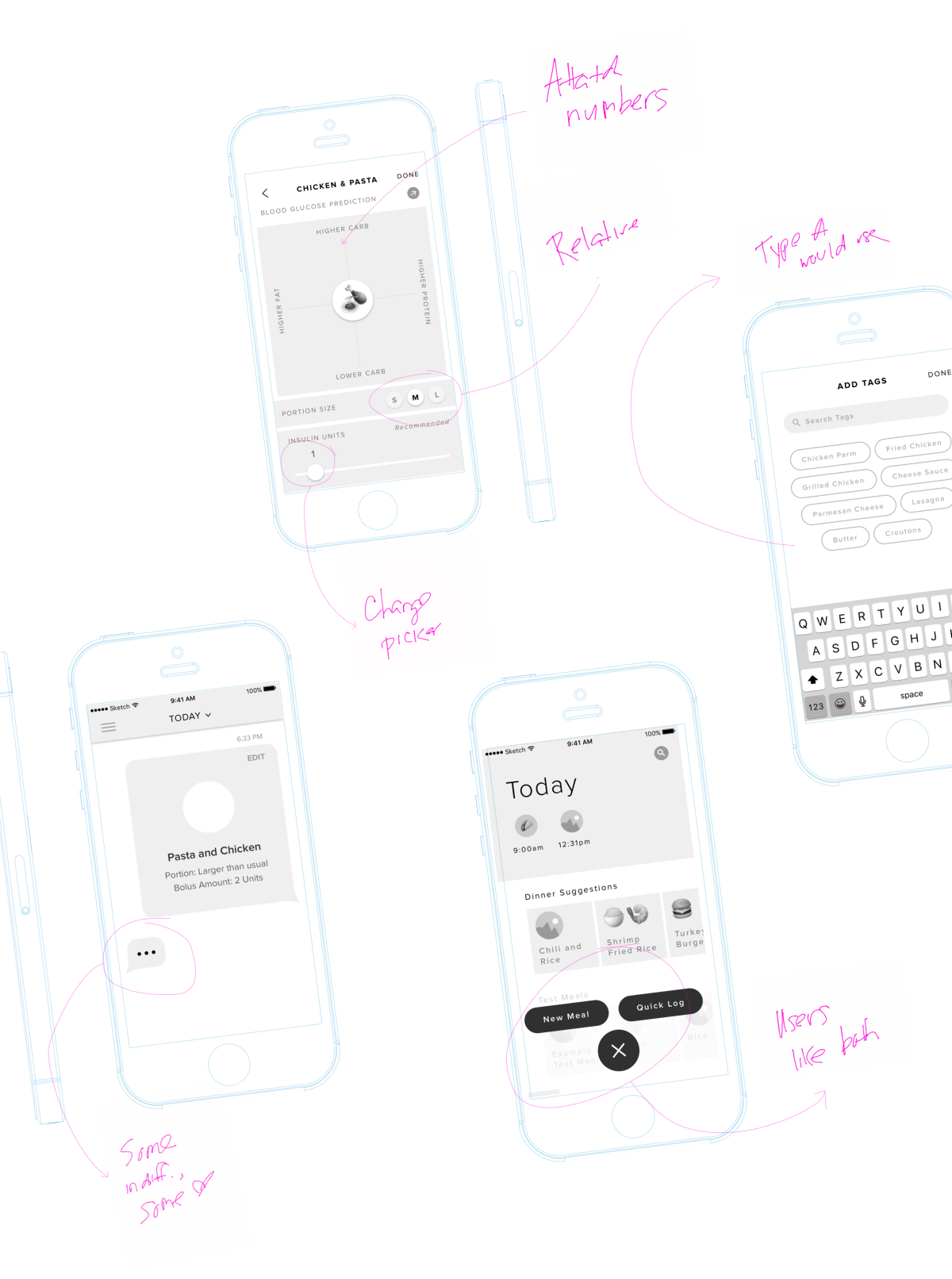
After testing a broad set of early ideas, we refined the exploration to two distinct interaction models:
The visuals provide a graphical and gestural way to interact with a sophisticated food database, not only creating a unique experience but also providing powerful insights to the user and the Lilly software.
Findings
Users appreciated the option to add detail, but wanted the ability to Quick Log when in a hurry.
Photo input and free-form text were the most preferred methods because they required the least cognitive effort.
Tags helped users be specific without navigating deep menus.
Most users were indifferent to the differences between a chat-based paradigm and traditional interface, but those who did have a preference liked the chat-based design for its simplicity and familiarity.
Contact
Email: claire.casaregola@gmail.com
LinkedIn: @clairecas